
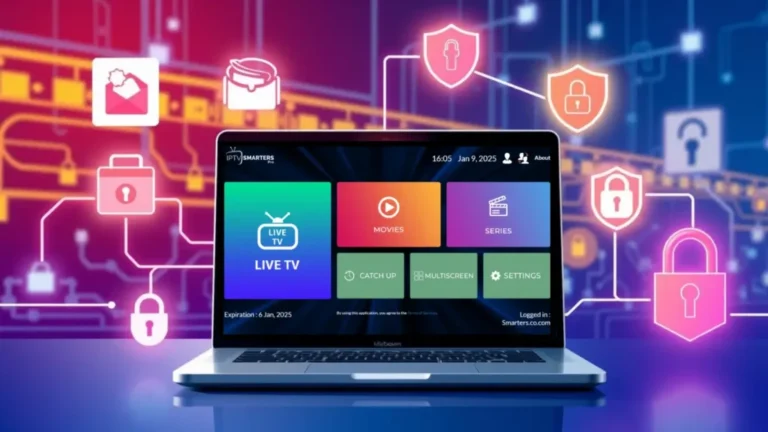
IPTV Smarters Pro Mac: macOS Setup Guide & Tips 2026
If you want a smooth, full-featured IPTV experience, this step-by-step guide will show you how to install and use iptv smarters pro mac on your Mac, iMac or MacBook. The guide covers a polished app-based setup (IPTV Smarters Pro), a fast VLC fallback, and a simple Hot Player approach for smart TVs and other devices.
Table of Contents
What is iptv smarters pro mac — Quick Overview
IPTV Smarters Pro is a popular IPTV player with a modern interface, EPG (TV guide) support, and separate sections for Live TV, Movies and Series. When used on macOS, IPTV Smarters Pro provides a clean TV-like experience that’s easier to navigate than a raw M3U playlist in VLC. If you prefer a quick setup, the Hot Player method works on many Smart TVs and devices, while VLC remains the fastest method for simple channel playback.
Requirements before you begin
Before installing iptv smarters pro mac, make sure you have:
- An active IPTV subscription that includes your username, password and server URL (Xtream Codes API credentials).
- A Mac running a supported version of macOS with at least 2 GB free disk space.
- A stable internet connection (preferably wired for HD streams) and your M3U or Xtream credentials handy.
For more background on our service, check our Home page and browse the Features and Pricing sections.
Method A — Hot Player (Quick TV setup)
This is the easiest and most stable method to get started on Smart TVs (Samsung, LG), Android devices, and Windows. It’s a great option if you want to pair a television app with your IPTV subscription.
Step 1: Install the app
Open your device app store (Samsung App Store, Google Play) and install Hot Player. On many devices you’ll find it by searching for “Hot Player”.
Step 2: Find your MAC address
Open Hot Player and note the MAC address shown on the home screen (format: XX:XX:XX:XX:XX:XX). Write this down or copy it.
Step 3: Upload your playlist
On your computer or mobile, visit https://hotplayer.app/upload and paste your TV’s MAC in the MAC field and your M3U URL in the Link field. Give it a name, for example “NordicIPTV.tv”, and click Save. This supplies your TV with the correct playlist.
Step 4: Restart and watch
Back on your TV tap Refresh in Hot Player. Channels should load—select and enjoy.
Method B — Install IPTV Smarters Pro on macOS (Recommended UI)
For the best on-Mac experience with an EPG and organized sections, install IPTV Smarters Pro and log in with the Xtream Codes API.
Step 1: Download and install IPTV Smarters Pro for Mac
Open your browser and go to the official IPTV Smarters website to get the macOS (.dmg) installer. Download the file, open the DMG and drag the IPTV Smarters icon to your Applications folder. If macOS blocks the app because it is from an unidentified developer, allow it in System Preferences > Security & Privacy by selecting Open Anyway.

Step 2: Login with Xtream Codes API
Launch IPTV Smarters Pro from Applications. Choose Login with Xtream Codes API and fill the four required fields exactly as provided by your IPTV supplier:
Any Name: A label for this connection, e.g. “Nordic IPTV”
Username: Your IPTV username
Password: Your IPTV password
URL/Server: Your server URL (include http:// or https://)
Click Add User. The app will download channel lists, categories and EPG data. You can now browse Live TV, Movies and Series.
Step 3: Using Live TV, Movies and Series
IPTV Smarters Pro organizes content into tabs. Navigate Live TV for channels, check the EPG guide for program times, and visit Movies & Series for on-demand content your provider includes. Use the Preferences to adjust player options and subtitles.
Method C — VLC Media Player (Fast & Lightweight)
If you prefer a minimal setup, VLC plays M3U playlists directly and is fast to configure.
Step 1: Install VLC
Download VLC from the official site at www.videolan.org and install the macOS version.
Step 2: Open Your M3U Playlist
Launch VLC, then choose File > Open Network and paste your M3U URL. Click Open.
Step 3: View the Channel List
To see channels: Window > Playlist or press Command (⌘) + Option (⌥) + P. Click any channel to start watching. VLC is great for testing or if you don’t need an EPG.
Alternative IPTV players and downloads
If you want alternatives to IPTV Smarters Pro or VLC, here are popular clients and direct links so you can choose the best fit for macOS, mobile or TV devices. Use these to test streams, playlists and EPG support.
MYTVOnline+ (Mobile)Free & PaidDownload — mobile-focused client.
OTT NavigatorFree & PaidDownload — feature-rich IPTV navigator for Android.
Smarters PlayerFree & PaidDownload — APK for testing on Android set-top boxes.
StbEmuFreeDownload — emulator used for STB-style playlists.
TiviMateFree & PaidDownload — great Android TV player with EPG.
iMPlayer (Mobile)Free & PaidDownload — mobile and tablet client.
iMPlayer (TV)Free & PaidDownload — TV-optimized builds.
SmartersFree & PaidGet — App Store Smarters Lite for iOS.
StbEmu: Smart STBPaidGet — App Store Smart STB client.
StbEmu: StbEmuTVFree & PaidGet — another StbEmu variant on iOS.
IBO PlayerPaidGet — LG TV marketplace link for IBO Player.
SmartersFree & PaidGet — official Smarters downloads and info.
StbEmu: Smart STBPaidGet — Smart-STB official download and details.
SmartersFree & PaidGet — Smarters Windows app download.
SmartersFree & PaidGet — Smarters webTV interface for browsers.
Common troubleshooting for iptv smarters pro mac
Unidentified developer error: Go to System Preferences > Security & Privacy and click Open Anyway for IPTV Smarters Pro.
Login failures: Re-check your username, password and server URL — they must match exactly (including http:// or https:// if provided).
Buffering / freezes: Use a wired Ethernet connection for better stability and consider lowering stream quality when network conditions are poor.
Missing EPG: Ensure your provider supplies EPG data. If not, contact support or try a different playlist source.
If you need personalized help, visit our Contact Us page or check the FAQ and User Guide for step-by-step support articles.
Tips to improve streaming performance
- Prefer Ethernet for stable high-definition playback.
- Close other bandwidth-heavy apps while streaming.
- Test streams in VLC first to verify M3U/stream health before importing to Smarters.
- Keep macOS and IPTV apps updated to the latest versions.
FAQs and further help
Commonly asked questions are answered in our FAQ. For changelogs, news and tutorials, visit our Blog. To learn more about the company and policies, see About Us, our Privacy Policy, Terms of Services, and Return & Refund Policy.
Legal, policies and support links
Before using any IPTV services, ensure you understand licensing and local copyright laws. If you want to escalate an issue or request account changes, use our Contact Us page; our support team will ask for your macOS version and which program you are using so we can reproduce the issue.

Summary
Installing iptv smarters pro mac is straightforward: download the macOS app, log in with the Xtream Codes API, and enjoy Live TV, Movies and Series with a friendly UI. If you prefer lightweight playback or need a quick test, use VLC. For smart TVs and set-top boxes, Hot Player or the various players listed above offer alternative workflows. If you run into issues, check the User Guide or FAQ, and don’t hesitate to Contact Us.
For full service options, settings and to compare plans visit our Pricing and Features pages, or return to the Home page at any time.